
The Goodstack Affiliation Problem
Why applications stall & how to prevent it.
Every Google Ad Grants account starts with a Google for Nonprofits application, and one step of that application is verification by Goodstack. You don’t apply to Goodstack separately (you, of course, can, but it isn’t necessary when applying for Google for Nonprofits). You fill in your organization’s details in the Google for Nonprofits form, and Goodstack checks them in the background on Google’s behalf. For most nonprofits that step takes a few business days and nothing else. For some, the application goes quiet at verification, or comes back with a request nobody on the team quite understands.
The issue we see most often is affiliation. It comes up in our own client accounts, and it’s one of the most frequent complaints on Reddit and LinkedIn. Here’s what it is, why it happens, and how to keep it from holding up your application.
What Does Goodstack Check
Goodstack (formerly Percent) is Google’s verification partner. When you submit your Google for Nonprofits application, Goodstack checks two separate things:
- The organization – is it legally registered, does it hold the right status (501(c)(3) in the US), and is its compliance record clean
- You – are you authorized to represent that organization
The second check is the affiliation check. It exists because anyone can type “Red Cross” into the organization search in the Google for Nonprofits form and start an application. Goodstack has to confirm that the person applying works for the organization they selected, or has been authorized by it. Once Goodstack is satisfied on both counts, Google emails you to confirm and you can activate Ad Grants and the other products.
Why It Happens
The main signal Goodstack uses is your email address. If you apply from jane@yournonprofit.org and yournonprofit.org is the website you entered in the application, the connection is obvious. If you apply from a Gmail account, a personal address, or an agency’s domain, it isn’t.
Here’s what we’ve received after we applied via our agency email:
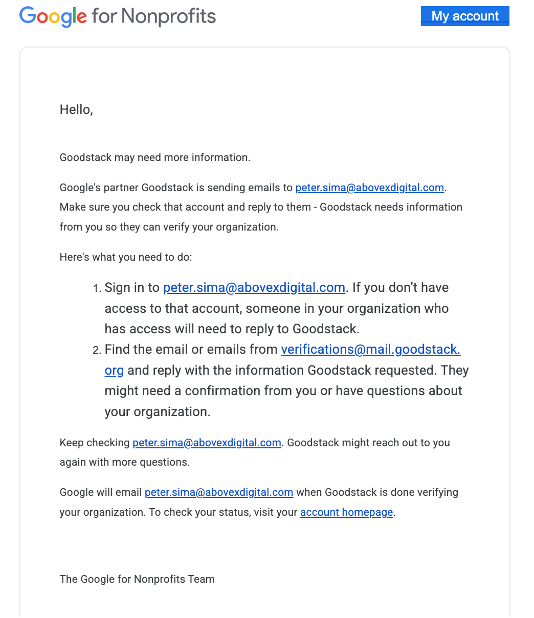
When the email and the organization don’t match, Goodstack emails you to say it needs to verify your affiliation. It then emails the nonprofit, using an address listed on the organization’s website, and uses the reply to confirm whether you’re associated with it. Your application waits until they answer.
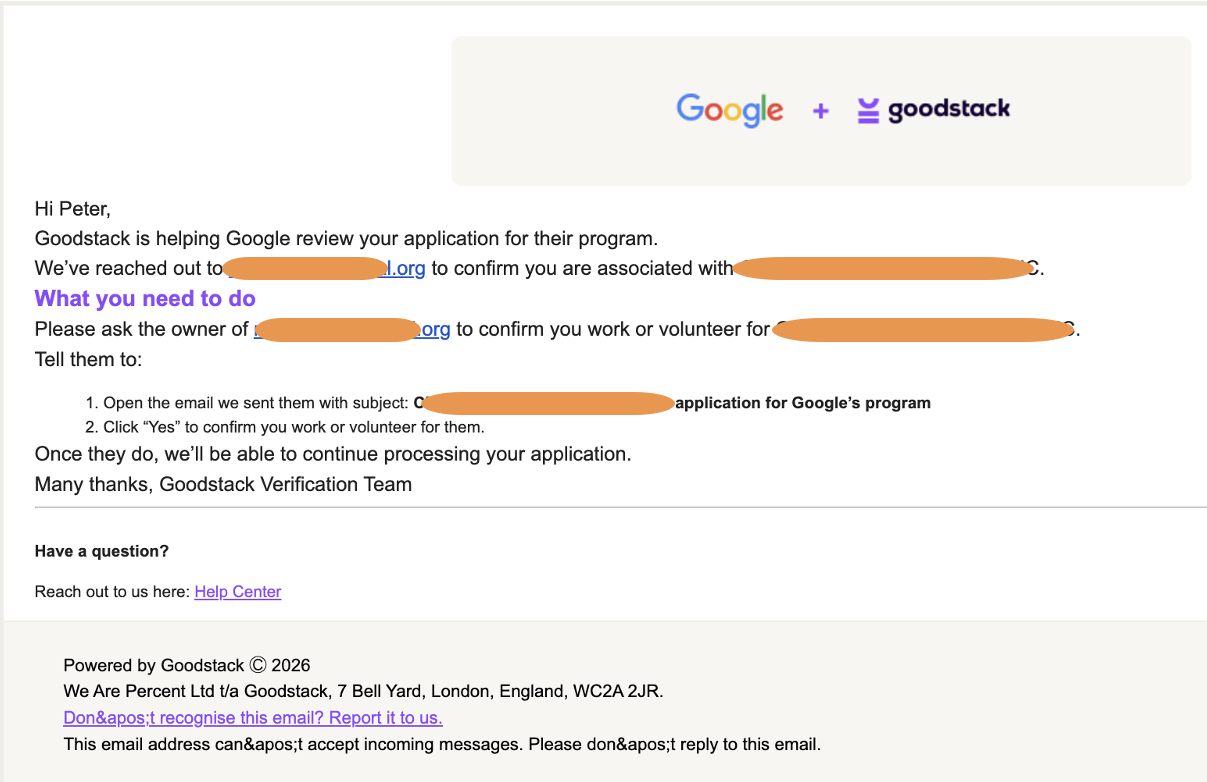
This is where most applications stall. The usual reasons:
- The request lands in spam or gets blocked by the organization’s mail server
- The address on the website is outdated, or belongs to a staff member who left years ago
- The right person receives it, doesn’t recognize the request, and ignores it
There’s a second trap. The process can involve several emails:
- The affiliation notice to you
- The confirmation request to the organization’s contact
- A separate “verify your email address” message
They can land in separate threads, so one is easy to miss. We’ve seen applicants send every document Goodstack asked for, miss the one verification link, and wait weeks for an application that was never going to move.
Why Your IRS Letter Won’t Fix It
A common reaction to an affiliation request is to send the IRS determination letter again. It won’t help. The letter proves the organization is a 501(c)(3). It says nothing about whether you work there, and determination letters for most organizations aren’t hard to get hold of. Sending the same document again usually gets the same answer.
How To Prevent It
- Get The Emails Right
Apply from an address on your organization’s domain, and make sure that domain matches the website you enter in the Google for Nonprofits form. This one step removes the affiliation check for most applicants. Before you apply, also check the contact email on your website. If it’s inactive or belongs to someone who has left, update it, because that’s where Goodstack’s request will go. If someone else fills in the application from a personal email, tell whoever monitors that website address to expect a message from Goodstack and to reply to it.
- Get The Application Details Right
Churches, Goodwills, and chapters of national groups often share names and sometimes cities, so check the EIN and address before you select your organization. If your organization doesn’t appear in the search at all, Goodstack will ask for legal documents, and it’s faster when the person who has them is the one applying. That’s why our clients always submit their own applications. If you run several related nonprofits, spread the applications out rather than submitting them all at once.
- Watch Your Inbox
Follow-up requests usually arrive within minutes of submitting, from verifications@mail.goodstack.org, so add that address to your safe senders list. Goodstack’s standard processing time is 72 hours, and Google says most reviews take 3-5 business days. If you’ve heard nothing after three days, check spam and your email filters. After a week, contact Goodstack support.
If You’re Already Stuck
Because Goodstack handles verification, questions about this step go to Goodstack rather than Google, and Goodstack doesn’t offer phone support. You can reach out through its help center or contact form, but the responses can feel generic when your case isn’t. Even if you feel you’ve done everything right, a stuck or rejected application usually comes down to one small thing. Maybe a verification email went unclicked, Goodstack wrote to an old address on your website, or you sent your IRS letter when Goodstack needed proof that you work for the organization.
We’ve worked through these cases many times with our clients, and we have a Goodstack verification expert on our team who knows the process from the inside. If your application is stuck, get in touch, and we’ll help you find where it stopped and get it moving again.
Want To Learn More?
FAQs
Do I need a separate Goodstack account to get Google for Nonprofits?
No. Goodstack verification is part of the Google for Nonprofits application, so you complete everything inside Google’s form. You only need your own Goodstack account if you want access to Goodstack’s other programs, such as software discounts from other companies.
Can I apply with a Gmail or personal email address?
Yes, Google accepts personal email addresses. Goodstack then can’t confirm your affiliation from the email domain, so it will contact your organization to check, which adds a step and a chance for the application to stall. An address on your organization’s domain is the faster route.
Who will Goodstack contact to confirm my affiliation?
An address listed on your organization’s website. If that address is inactive or wrong, update it on your website and reapply.
How long does Goodstack verification take?
Goodstack’s standard processing time is 72 hours, and Google says most reviews are completed within three to five business days. If you’ve heard nothing after a week, check your spam folder for emails from verifications@mail.goodstack.org and then contact Goodstack support.
My organization doesn’t appear in the search. Can I still apply?
Yes. Choose the option for organizations that aren’t listed and be ready to upload your registration documents, such as your IRS determination letter. Expect this route to take longer than a standard application.
We run several nonprofits. Can each of them apply?
Yes, as long as each one is legally registered, eligible, and has its own documents. Each organization submits its own application. Spread them out rather than submitting all of them on the same day.
Back to previous pageAsk our free AI chatbot.
Blog
Useful Nonprofit Marketing Tips & Tricks
- Ad Grants
- Tips
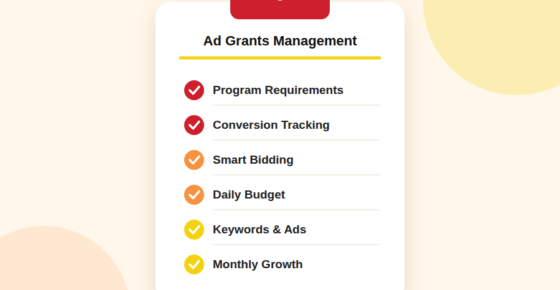
How To Manage Your Google Ad Grants Account?
Six habits of a well-run grant account.
Read more


- Ad Grants
- News
A Nonprofit’s Guide To Measuring AI Visibility
Know where your organisation appears.
Read more
- Ad Grants
- News
The Ultimate Guide To Google Ad Grants 2026
Navigate Google Ad Grants with confidence.
Read more


Contact us directly or schedule a slot to talk to our expert team!
- AboveX Digital LLC
- 4023 Kennett Pike #50116, Wilmington, DE 19807 USA
- +1 (619) 330-9997
- Mon – Fri 9:00 am – 5:00 pm EST
- info@abovexdigital.com