What is the Google Ad Grants program?
Google Ad Grants is a Google’s initiative launched back in 2003, that allows qualifying nonprofit organizations to get $10,000 USD of in-kind advertising every month. This free advertising credit can be used to promote your organization within Google search results. You can improve your brand awareness, recruit more volunteers, drive more donations, newsletter subscriptions or promote anything else that generates value to your organization.
The credit pays for clicks on text ads in Google Search results. It never reaches your bank account, and it resets daily. Our 2026 guide to Google Ad Grants walks through the whole program end to end.
Which organizations are eligible for Google Ad Grants?
Generally speaking, all 501(c)3 organizations with the exception of governmental entities, hospitals, and schools (their charitable/philanthropic arms are allowed) are eligible for Ad Grants. The program is open for dozens of countries and the eligibility requirements vary slightly in each country. The complete list of countries and details eligibility guidelines can be found here.
Need help navigating the application process? Our team is ready to guide you every step of the way, contact us to get started!
Why does Google provide free Google Ads credit to nonprofit organizations?
Philanthropy has always been central to Google’s values and mission. Google’s co-founders, Larry Page and Sergey Brin, and their executive team wanted to find a way to share the power of search advertising with the nonprofit world. Google Ad Grants was created in 2003 with the mission to connect people to causes by providing Nonprofits with $10,000 per month in free Google Advertising. Since launch, the Ad Grants Program has awarded nearly 115,000 Ad Grants and $8B dollars in free advertising to organizations in 50+ countries around the world.
How does the Google Ad Grants program work?
Google Ad Grants campaigns work similarly to standard Google Ads campaigns frequently used by commercial advertisers. The principle of Google Ads advertising can be explained simply as follows:
- The advertiser (your nonprofit) picks suitable keywords and sets campaign targeting (location, demographics, languages, etc.).
- The advertiser writes compelling ad copy. It is recommended to highlight your competitive advantages and use some of the keywords used for targeting.
- When people specified in your target audience search for selected keywords, your ad appears on the top or bottom of the Google search result page.
- When your ad gets clicked, people are taken to your page and a certain amount gets deducted from your advertising credit. The actual amount is determined in an ad auction, where more competitive keywords are usually more expensive.
You can review a detailed comparison of Commercial Google Ads and Google Ad Grants here.
How to efficiently use Google Ad Grants funds?
While each organization is different, these tips have proven to work in most accounts we’ve managed:
- Experiment with bidding strategies
- Follow all in-app and email notifications
- Manage the account actively
- Experiment with the website content and different landing pages
- Follow all program updates and try new features
- Track everything meaningful to your organization
- Verify your hypothesis with hard data
- Try commercial Google Ads as well as other channels, especially for display, video, and remarketing campaigns
The two things that move utilization most are the number of genuinely relevant keywords in the account and the amount of useful content on the site behind them. How to spend your full $10K grant and why content is key to Ad Grants success go into detail.
Feeling overwhelmed by managing your Google Ad Grants account? Let our experts handle it, so you can focus on your mission while we maximize your results. See how we can help!
What are the program requirements?
Here is the list of most important requirements to comply with:
- Maintain a minimum click-through rate of 5%
- Avoid single-word and overly generic keywords, and pause anything with a quality score of 1 or 2
- Create an advanced account structure with at least 2 active ad groups, each with at least 1 active responsive search ad included in every active campaign
- Use at least 2 sitelink extensions in every campaign
- Target only the locations your organization actually serves
- Configure robust conversion tracking and record at least 1 meaningful conversion per month
- Send all traffic to an approved domain secured with a valid SSL certificate
Google provides a comprehensive compliance guide with optimization tips here.
Has your Google Ad Grants account been suspended due to compliance issues? We can help you fix, restore, and keep your account fully compliant. Schedule a consultation!
How to apply for Google Ad Grants?
The Google Ad Grants application involves multiple steps. The entire process is done online and usually takes approximately 5-10 business days. The application steps are:
- Check the eligibility of your organization.
- Create a Google for Nonprofits account and get verified by Goodstack.
- Apply for Ad Grants from within Google for Nonprofits account.
- Submit the program survey and training
- Accept the invitation to your new Google Ads account
Verification usually takes anywhere from a few days to two weeks. If something is missing, you can correct it and resubmit. A rejection isn’t final. We were able to get 100% of eligible organizations approved. Need application assistance? Please do not hesitate to reach out.
Is your organization’s verification with Goodstack being denied repeatedly, and you’re not sure why? Our team includes a Goodstack expert who will guide you through the verification process and ensure your organization gets approved, so you can successfully apply for Google Ad Grants. Get help!
How can we maintain compliance with all program requirements?
Google audits all grant accounts on an ongoing basis and notifies account admins of compliance problems. Time is given to the admin to bring the account to compliance, but if that does not happen, the account is automatically deactivated. To prevent the account deactivation, we recommend you:
- Monitor your account regularly
- Fix all compliance issues in a timely manner
- Follow all program updates and changes in compliance requirements
- Run a free compliance audit.
Our guide to the Ad Grants website policy and our guide to Google’s advertising policies cover what Google checks.
What can we do if our Ad Grants account got deactivated?
Almost every Ad Grants account can be reinstated. Read the reason in Google’s notification, fix it properly, then submit a reactivation request with your Customer ID and a description of what you changed. Google’s review usually takes up to 10 days.
Opening a new account instead doesn’t work. Related accounts inherit the same restriction. Our guide to Ad Grants suspensions covers each cause and its fix.
Still unsure why your Ad Grants account was deactivated, and Google Support’s answers feel vague? As a Google Certified Professional organization with access to direct support, we are able to help you identify and fix the account deactivation swiftly. Please reach out for more details.
Where do the Ad Grants ads appear?
Grant ads appear in Google Search results, above or below the organic listings depending on your Ad Rank. Paid advertisers are served first, so grant ads take what’s left in the auction, which is why relevance matters more here than in a commercial account. Accounts running Performance Max campaigns also reach Google Maps.
Which ad formats are allowed?
Responsive search ads are the core format, and every ad group needs at least one. Banners, videos, and other display formats are not allowed. Our suggestion is to use the Ad Grants account for search ads and create a standalone commercial Google Ads account for display campaigns. Both accounts can be linked to one Google Analytics account, that will centrally track campaign results. This setup maximizes the exposure and conversion efficiency while keeping the media cost on a reasonable level.
Discover the key differences between Commercial Google Ads and Google Ad Grants here.
Why do we only spend a small part of the Ad Grants budget?
Low spend and click volume is a very common problem in Ad Grants account. This problem can be caused by a variety of different reasons that can be diagnosed during our account audit. The most common problems, that we see in audited accounts are:
- Too few keywords
- Ad texts with low relevancy
- Missing conversion tracking
- Missing ad extensions
- Underutilization of automated bidding strategies
- Missing relevant website content
High grant utilization should not be the ultimate goal. Most advertisers want to use the full grant, which makes sense, as long as the high spend gets translated into relevant website traffic and conversions. Our job is to make sure you use as much of the grant as possible while maximizing the traffic quality and quantity.
Learn how to fully utilize your Google Ad Grants while driving results here.
Is Google Ad Grants a cash grant?
No. The Google Ad Grant is not a cash grant. It is provided in the form of free advertising credit, worth up to $10,000 USD per month in in-kind advertising, that eligible nonprofit organizations use to run Google Ads search campaigns. The monthly grant amount works out to a daily advertising credit of $329.
The credit can only be spent inside the Ad Grants account. It can’t be withdrawn, transferred, or used to cover any other cost. Because the grant covers the media spend itself, an agency can only ever charge a service fee, never the ad spend. See our pricing for how that works. “Ad Grants is a cash grant” is one of the 10 most common Google Ad Grants myths.
Are Google Ad Grants worth it?
Yes. Google Ad Grants gives your nonprofit up to $10,000 per month in free search advertising, with no media cost at all, so every donation appeal, event, volunteer call, and awareness campaign you run reaches people who are already searching for it.
Set up and managed properly, Ad Grants is a powerful tool that can, either alone or alongside your other marketing channels, significantly enhance the digital presence of any nonprofit organization. Results compound as the account matures and Smart Bidding learns from your conversion data, so the grant tends to be worth more in year two than in month two. Google Ad Grants expectations vs. reality shows what that looks like in practice.
Our team specializes in strategically managing Ad Grants accounts to maximize your impact. We handle it all, from account setup and compliance to optimization and reporting. Let us help you turn your $10K monthly grant into a powerful engine for awareness, engagement, and growth. Schedule a consultation!
What can Ad Grants campaigns achieve?
The campaign impact is often hard to imagine for new advertisers. Each organization chooses its own keywords, writes its own ads, sets its own targeting, and has its own unique website, so the campaign impact can vary greatly.
Across the accounts we manage, our 2026 averages are: $9,000 monthly grant utilization, 8% account-wide click-through rate, 5% conversion rate, and 4,000 clicks a month. Compare your own metrics to see where you sit.
Where can we get help with our account?
There are several options:
- Google has a dedicated support team, that can be reached via phone, chat, or email. You can contact the support team from within your Google Ads account by clicking on the question mark icon and “Get help” option. Our experience with this support team is that the agents are usually not specialized in Ad Grants accounts, and more complex account issues might thus be difficult to solve right away.
- Ask the Ad Grants Help Community
- Visit the Ad Grants Help Center
- You can contact consultants certified by Google to help you identify the problem and get it fixed efficiently. We provide free initial consultation that can be used to solve account problems. The consultations are led by our founder Peter Sima, a former Google Partners Certified Trainer for Nonprofits.
You can also ask our chatbot anything about the program.
Who verifies nonprofits for Google for Nonprofits?
Nonprofit verification for Google for Nonprofits is handled by Goodstack, Google’s official verification partner. The platform operated as Percent before its rebrand, and TechSoup managed verification before that. You’ll still see all three names in older documentation.
Goodstack checks four things:
- that your organization is legally recognised as a nonprofit
- that it operates not-for-profit
- that it works for public benefit
- that the person submitting the application is genuinely associated with it
Our webinar on the Goodstack verification process walks through each step.
Can churches and faith-based organizations get Google Ad Grants?
Yes. Churches and faith-based organizations are eligible in the United States and in most countries where the program runs, provided they hold recognised charitable status and their website meets the Ad Grants website policy.
The usual sticking points are a thin website and donation pages that don’t explain what the money funds. Both fixable before you apply. Why content is key to Ad Grants success covers what your site needs to support your campaigns.
Does Google for Nonprofits cost anything?
No. Google for Nonprofits, the Goodstack verification, and the Ad Grants account itself are all free. The registration process costs nothing from start to finish.
What is the Ad Grants website policy, and why do websites get rejected?
Google reviews your website before approving the account and again whenever it re-reviews. It looks for a clear nonprofit identity:
- legal name
- registration or EIN number
- mission
- programs
- verifiable contact details including a physical address
- a clear explanation of what donations fund
Technically:
- you own and control the domain
- HTTPS across the whole site
- substantial original content
- no AdSense
- no affiliate links and no broken links
- mobile-friendly
Rejections are almost always fixable, and most organizations are approved after correcting and resubmitting. Our guide to the Ad Grants website policy goes through every check, and Google resumed active enforcement of it, so an older site that passed once isn’t automatically safe.
What happens if we miss the 5% CTR requirement?
The policy asks for a 5% click-through rate at account level, measured monthly, with two consecutive months below it leading to temporary deactivation until the account is corrected and reinstated. In practice, Google has not been enforcing this actively in recent years, and account-wide CTRs across the industry now sit lower than they used to, so a month under 5% is not the emergency it once was.
One thing worth knowing if you run Performance Max, it pulls your overall account CTR down, because it serves far more impressions per click than search does. That number looks alarming in the dashboard but doesn’t count against the requirement, only the CTR from your search campaigns matters here. How to master CTR in Google Ad Grants covers where to look and what to pause, and how to write effective search ads deals with the other half of it.
Can we add a second website domain to our Ad Grants account?
Yes, but only after Google approves it. Submit the Additional Website Domain(s) Request Form with your 10-digit Google Ads Customer ID and the exact domain. Review takes 3-5 business days.
Running ads or sitelinks to an unapproved domain, even one your organization owns, risks suspension, because Google checks every landing page domain against your approved list. Submit the request well before the campaign is due to launch. Adding a second domain to Google Ad Grants covers the form and the conditions in full.
Do Ad Grants accounts need advertiser verification?
Yes, they do. Google selects accounts for verification and notifies them in the account and by email, with the tasks that apply and the deadline to complete them. If the deadline passes, Google can restrict your ads from serving or pause the account.
What you’re asked for depends on the account, typically information about your organization, documents proving identity, and in some cases evidence of how the organization operates. Documents have to match the organization name you gave and be current. Your verification tasks and progress appear in the Google Ads account itself, and our guide to Google Ad Grants advertiser verification walks through what to prepare.
Can we run an Ad Grants and a paid Google Ads account at the same time?
Yes, and for display, video and remarketing you have to. None of those run on grant credit. Running both is allowed and is what we recommend for most organizations. Ad Grants vs. commercial Google Ads sets out what each account is good for.
Can we spend more than $329 in a day, and what happens to unused budget?
Slightly, yes. The $329 daily cap isn’t an exact ceiling. When the daily budget is close to the limit but hasn’t hit it, Google can still serve one more click, and if that click is an expensive one, the day finishes a little above $329. The monthly total isn’t exactly $10,000 either, because the cap is daily. A 31-day month allows up to about $10,199, a 30-day month about $9,870, and February less again.
Unused credit doesn’t carry over to the next day. Campaign budgets are a separate thing and a common source of confusion. Setting budgets in Ad Grants accounts explains how we structure it, and how to spend your full $10K grant covers what actually raises utilization.
Which bidding strategies are allowed in Google Ad Grants?
Conversion-based Smart Bidding. Maximize conversions, Maximize conversion value, Target CPA, or Target ROAS. The old $2 maximum CPC only ever applied to manual bidding, and manual bidding no longer meets the program’s requirements. On any of these strategies, bids go well above $2 whenever the conversion data supports it. Maximize clicks isn’t a conversion-based strategy, so it doesn’t satisfy the bidding requirement either.
The $2 cap is one of the ten myths we hear most often, and setting budgets in Ad Grants accounts covers how bidding and budgets work together.
What is AI Max for Search?
AI Max is a set of targeting features that lets Google match your ads to searches using your landing pages, existing ads, and account history instead of your keyword list alone. It is available in grant accounts.
How long before we see results?
Three to six months before performance stabilizes, for most accounts. Smart Bidding needs conversion data to work with, and a new account has none, so the first weeks are the algorithm learning rather than the campaign performing. Expectations vs. reality sets out a realistic first year.
Ask our free AI chatbot.
Blog
Useful Nonprofit Marketing Tips & Tricks




- Ad Grants
- News
A Nonprofit’s Guide To Measuring AI Visibility
Know where your organisation appears.
Read more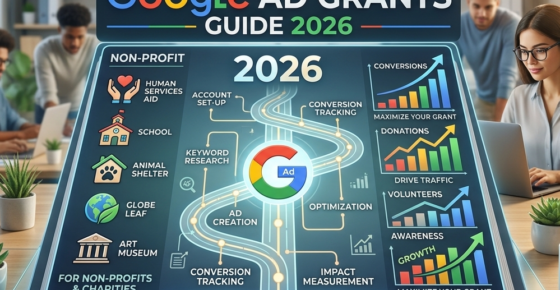
- Ad Grants
- News
The Ultimate Guide To Google Ad Grants 2026
Navigate Google Ad Grants with confidence.
Read more


Contact us directly or schedule a slot to talk to our expert team!
- AboveX Digital LLC
- 4023 Kennett Pike #50116, Wilmington, DE 19807 USA
- +1 (619) 330-9997
- Mon – Fri 9:00 am – 5:00 pm EST
- info@abovexdigital.com