
Effortless Google for Nonprofits Registration
Follow Our Step-By-Step Guide.
Google for Nonprofits offers a suite of powerful tools designed to help charitable organizations enhance their outreach, collaboration, and fundraising efforts. With access to products like Google Ad Grants, YouTube for Nonprofits, and Google Workspace, nonprofits can boost their online visibility, streamline their operations, and engage more effectively with their communities—all at no cost. By leveraging these tools, nonprofits can amplify their missions and drive more impact.
Having trouble registering for Google for Nonprofits? We might have identified the issue. One of the most common mistakes is applying with an email address that isn’t registered under your organization’s domain. The application must be submitted using your corporate email address, such as name@nameofyourorganization.org. Additionally, this email must be registered as a Google account. If these two requirements aren’t met, your application will not be processed successfully.
How do I register my corporate email address as a Google account?
- First, go to the Google Account Sign In page and click the “Create an account” button in the upper right corner.
- Next, fill in your basic information as required.


- In the following window, select “Use your email address” and click “Next.”


- Enter your corporate email address.
- In the following window, select “Use your email address” and click “Next.”

- You will then receive a 6-digit verification code in your inbox. Enter the code and click “Next” to complete the process.

Google for Nonprofits Application Process
Once you’ve registered your corporate email address as a Google account, you’ll use it to sign in to your browser and Google for Nonprofits. Wondering how to apply for GFN? Follow the steps below:
- Go to Google for Nonprofits page and click “Get started.”
- Next, sign in with your corporate email address.
- After entering your email address, you’ll see a window titled “Before getting started…”. Click “Next” to confirm that your organization does not fall under any of the listed categories.


- Following that, you’ll need to answer a few questions. Start by entering where your organization is registered, and click “Next.” Make sure you have the following information: your nonprofit’s registration number, physical address, and contact info. Click “Begin”.
- The “Percent will verify your organization” window pops up. Learn more about Google’s new verification partner.

- Find your organization in the search field.
- Enter your website URL.
- Write your mission statement and select categories that best describe your organization. Then fill in your contact details and agree to terms and conditions.
- After completing the online survey, you may notice a short text when clicking “Wait for Verification” that states the process may take about 2-14 business days. In our experience, it typically takes about a week, but patience is key.

- The third section states that upon receiving the confirmation of your organization’s verification, you’ll be able to activate the products.

To learn more, check out our webinar video for further insights. Watch below!
Conclusion
Registration for Google for Nonprofits is relatively quick and easy. It is free and can be processed online. When submitting the application, it is important to make sure that the application is submitted from an email hosted on your domain that is also a Google email.
As verified partners of Percent, we have the ability to submit applications on behalf of our clients. If you’re facing any challenges with the Google for Nonprofits registration process, our team is here to help. We can assist you every step of the way, ensuring your application is correctly completed and submitted.
Feel free to reach out to us for personalized support and guidance in applying for Google for Nonprofits.
Back to previous pageAsk our free AI chatbot.
Blog
Useful Nonprofit Marketing Tips & Tricks



- Ad Grants
- News
A Nonprofit’s Guide To Measuring AI Visibility
Know where your organisation appears.
Read more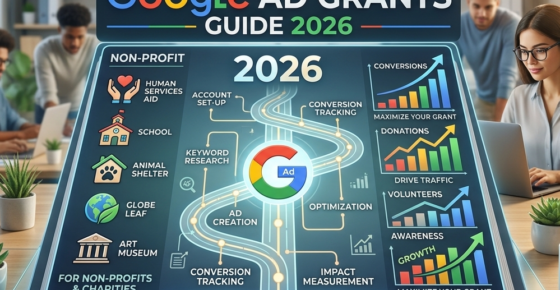
- Ad Grants
- News
The Ultimate Guide To Google Ad Grants 2026
Navigate Google Ad Grants with confidence.
Read more


Contact us directly or schedule a slot to talk to our expert team!
- AboveX Digital LLC
- 4023 Kennett Pike #50116, Wilmington, DE 19807 USA
- +1 (619) 330-9997
- Mon – Fri 9:00 am – 5:00 pm EST
- info@abovexdigital.com