
Google Ad Grants Website Policy
Why your application got rejected, yet again.
Many nonprofits are surprised when their Google Ad Grants application gets rejected. In most cases, the issue is not eligibility, nonprofit status, or documentation, it is the organization’s website. Google reviews Ad Grants applications one by one, and the nonprofit’s website plays a critical role in the approval decision. If key policy elements are missing or unclear, Google often denies the account, even when the organization itself is fully qualified.
The good news, a rejection is not final. Most nonprofits can get approved after making the right website updates and resubmitting their application. Let’s walk through what Google looks for and what you should fix before reapplying.
Why Website Policy Matters for Google Ad Grants
Think of the Google Ad Grants website policy as a gifted storefront in a prestigious community center. While the rent is covered by your $10,000 monthly credit, the “landlord” (Google) enforces strict building codes to ensure a positive experience for every visitor.
- Property Ownership – Just as a shopkeeper must prove they are the legal tenant, your nonprofit must own and have administrative control over the domain your ads point to.
- Window Displays & Stock – The storefront cannot be empty or filled with “thin content” or placeholder text, it must feature substantial and unique content that clearly explains your mission and activities. Using generic or copied content fails to provide the value Google requires for its users.
- Maintenance & Safety – The building code requires your “shop” to be structurally sound. This means your website must load quickly, contain no broken links, and have a secure connection (HTTPS). If the front door is stuck or the lights are flickering, visitors will leave, which negatively impacts your standing.
- Primary Purpose – You cannot turn your gifted charitable space into a for-profit outlet mall. While you can have limited commercial activity (like a gift shop), it cannot be the primary focus, and you must disclose how those funds support your mission.
- No Subletting or Outside Billboards – You are prohibited from putting up other people’s advertisements in your windows. This means your site cannot host Google AdSense or function primarily to send traffic to other sites via affiliate links.
- Universal Accessibility – Your shop must be mobile-friendly, ensuring that anyone can navigate the aisles easily, whether they are visiting on a desktop or a smartphone.
If you fail to follow these “building rules,” Google will place a bold red warning bar across your account and temporarily suspend your ability to advertise until the violations are fixed.
In a nutshell, your website must clearly demonstrate:
- who you are
- what you do
- how you operate
- how you use donations or other funds collected via the website
If this information is missing or unclear, Google may reject the application, sometimes multiple times, until the site meets policy requirements.
Most Common Missing Website Elements
Below are the most frequent reasons Google does not approve new Ad Grants accounts.
Clear nonprofit identity
Your website must clearly state:
- official nonprofit name
- your nonprofit’s EIN number (or other similar identification number)
- mission
- description of programs and activities
The site should not look vague, under construction, or like a placeholder page.
“About us” page
Google expects a detailed About Us section that explains:
- organization background
- leadership or governance
- program focus
- how the organization operates
Thin or generic “about us” pages are a common rejection trigger.
Here’s an example of well-structured and compliant About Us page:
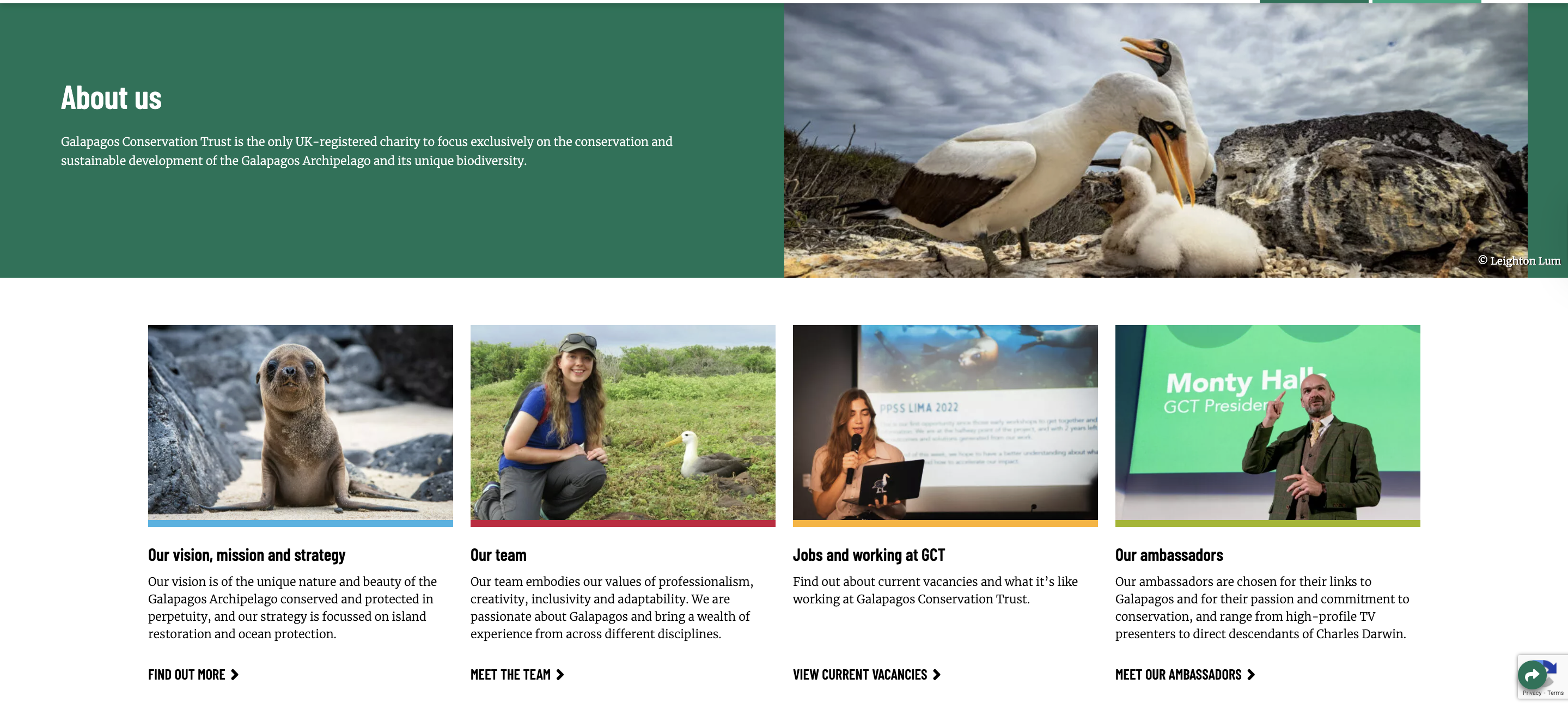
(Galapagos Conservancy about us page)
Contact Information
Your website must show real and verifiable contact details:
- email address
- physical mailing address
- phone number (recommended)
A contact form alone is often not enough.
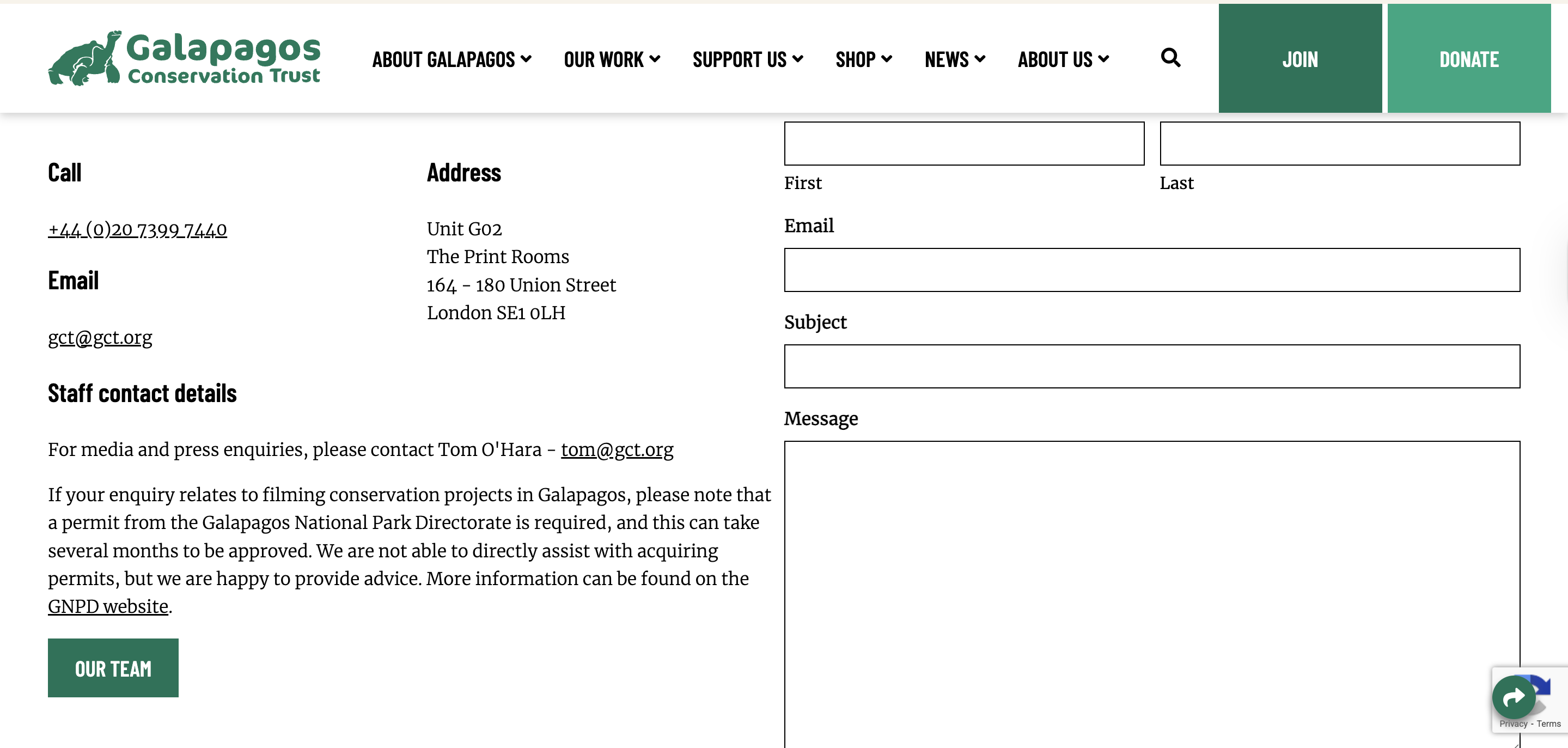
(Galapagos Conservancy contact us page)
Donation Transparency (If You Accept Donations)
If your site asks for donations, Google wants to see transparency:
- how funds are used
- what programs donations support
- who benefits
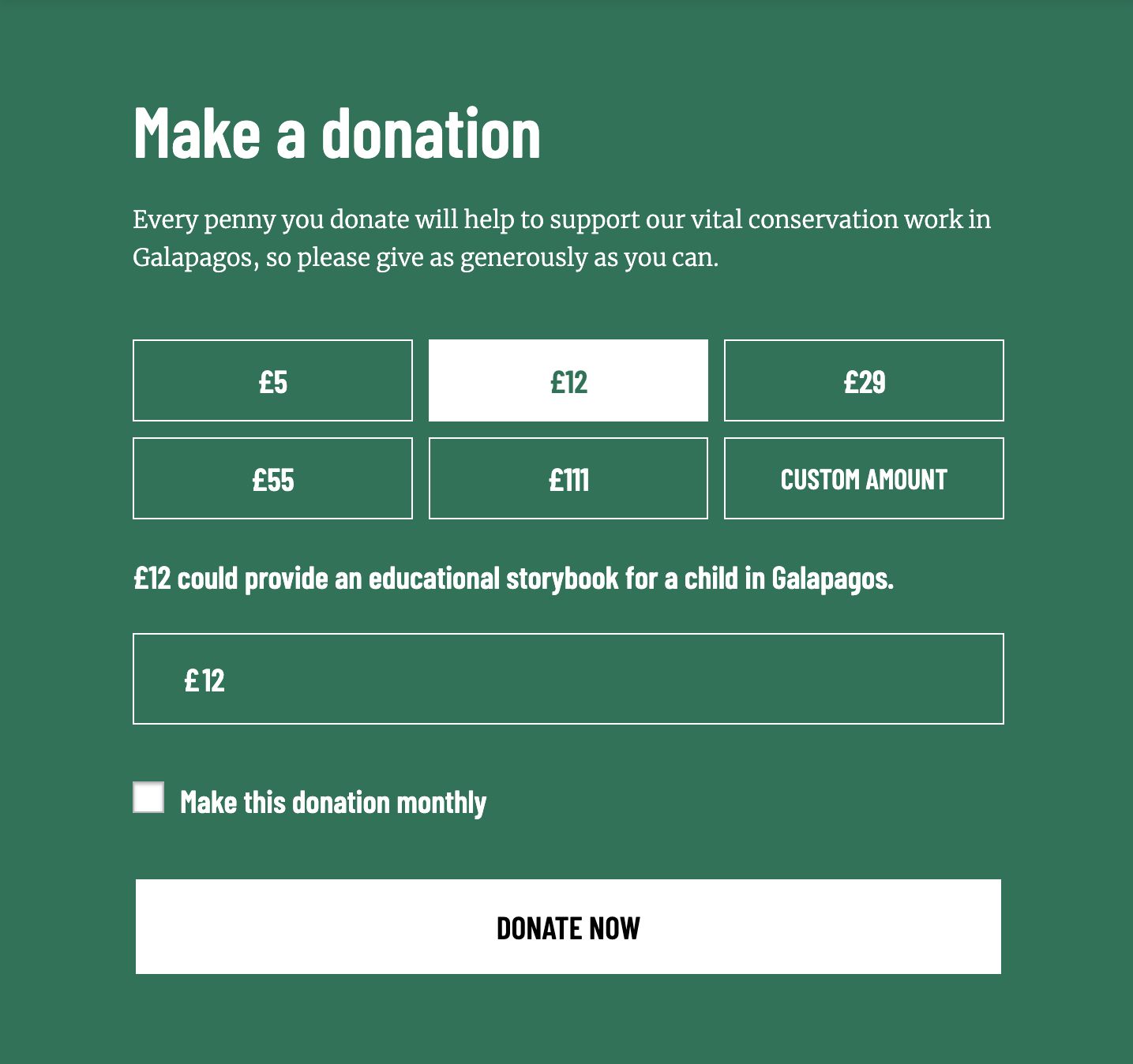
(Galapagos Conservancy donation page)
Important for nonprofits listing prices or fees. If your website mentions any cost, membership fees, service prices, or program pricing, Google requires a disclaimer stating that the proceeds support your nonprofit mission or charitable activities. Without this, donation pages can appear misleading, transactional, or confusing, which can lead to rejection.
What If Your Ad Grants Application Was Rejected?
A rejection is common, and fixable. If your Ad Grants account hasn’t been approved:
- Review Google’s feedback message
- Update the missing website elements or fix what’s been broken
- Resubmit your application
Many nonprofits are approved on the second or third attempt after making the necessary corrections. If Google denies the request again, you can continue updating the site and reapplying. Approval is often a process of refinement, not a one-time pass/fail event.
When Rejections Keep Happening
Some nonprofits get stuck in repeated denials because the feedback is vague, the required elements are misunderstood or the website wording does not meet policy expectations. This is where expert help makes a major difference.
As Google Certified Ad Grants Professionals, we work with Ad Grants accounts on a daily basis and maintain a direct line with the Google Support team.
We help nonprofits:
- audit their website for policy compliance
- identify missing required elements
- recommend exact adjustments
- resubmit application on your behalf
- communicate with Google when applications stall
If your Ad Grants application keeps getting denied, you do not have to guess what is wrong. Contact our team, and we’ll handle the rest!
We can also help you with Goodstack verifications and other types of Google for Nonprofits application problems.
Back to previous pageAsk our free AI chatbot.
Blog
Useful Nonprofit Marketing Tips & Tricks




- Ad Grants
- News
- Services
Ask Our Chatbot Anything About Ad Grants
Introducing our Ad Grants Knowledge Base chatbot.
Read more

Contact us directly or schedule a slot to talk to our expert team!
- AboveX Digital LLC
- 4023 Kennett Pike #50116, Wilmington, DE 19807 USA
- +1 (619) 330-9997
- Mon – Fri 9:00 am – 5:00 pm EST
- info@abovexdigital.com